First Setup
Five-minute path from fresh install to your first duel. All commands below need the duels.admin permission (or OP).
1. Set the duel lobby
Stand where players should return after a duel and run:
/duels setlobby
This saves the lobby to lobby.json. (There is also a separate kit-editing lobby: /duels setkitlobby.)
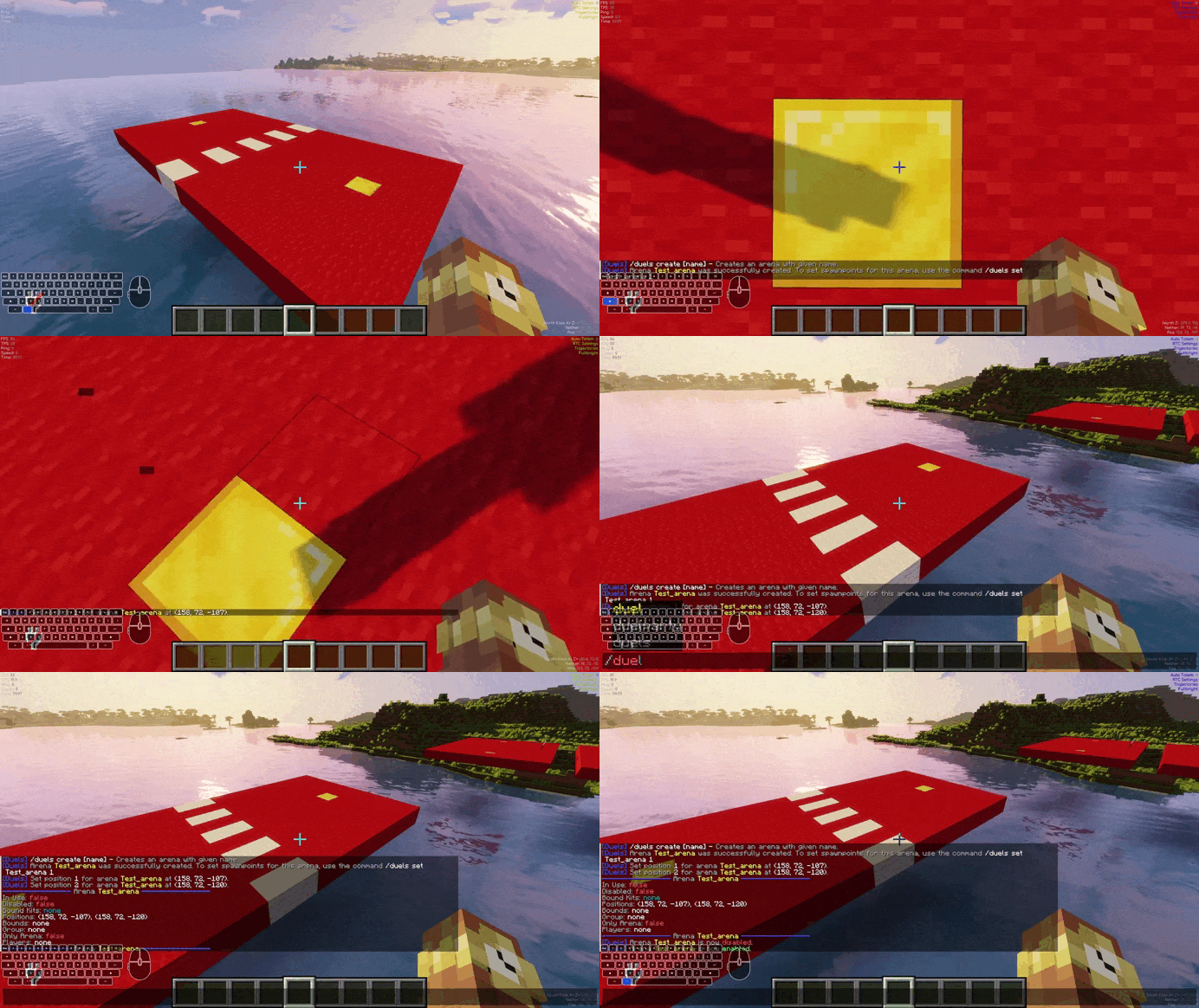
2. Create your first arena
/duels create Colosseum
Then stand on spawn point 1 and run /duels set Colosseum 1, stand on spawn point 2 and run /duels set Colosseum 2.
/duels set Colosseum 1
/duels set Colosseum 2
Check it with /duels info Colosseum, then enable it:
/duels toggle Colosseum
A disabled arena is never picked for matches. Full details: Creating & Managing Arenas.
3. Create your first kit (optional)
Put the gear you want into your own inventory, then:
/duels savekit Diamond
Players can also duel with their own inventory without any kit — see Kits and kit characteristics like Soup, UHC or Best-of-3.
4. Fight!
As a regular player:
/duel Steve
Accept with /duel accept Steve, fight, and the winner is teleported back while stats, ratings and bets resolve automatically.
/duel accept Steve
/duel deny Steve
Common first-time gotchas
- "No arena available" — you created an arena but forgot
/duels toggle <name>, or the arena has no positions set. Check/duels info <name>. - Duels don't start in your world —
duel.enabled-worldsrestricts dueling worlds (empty = everywhere). See Configuration. - Money bet says disabled — install Vault + an economy plugin, or leave betting to items.
- Messages look wrong — pick your language with
lang:inconfig.yml(lang_EN,lang_DE,lang_ES,lang_FR,lang_PL,lang_RU,lang_CZ), then restart.
Next: Starting a Duel for everything players can do, or the full Config Reference.