GUIs
All GUIs are click-driven; filler materials, rows and most button items are configurable (see Config Reference, guis.*). Message texts live in langs/... under GUI.*.
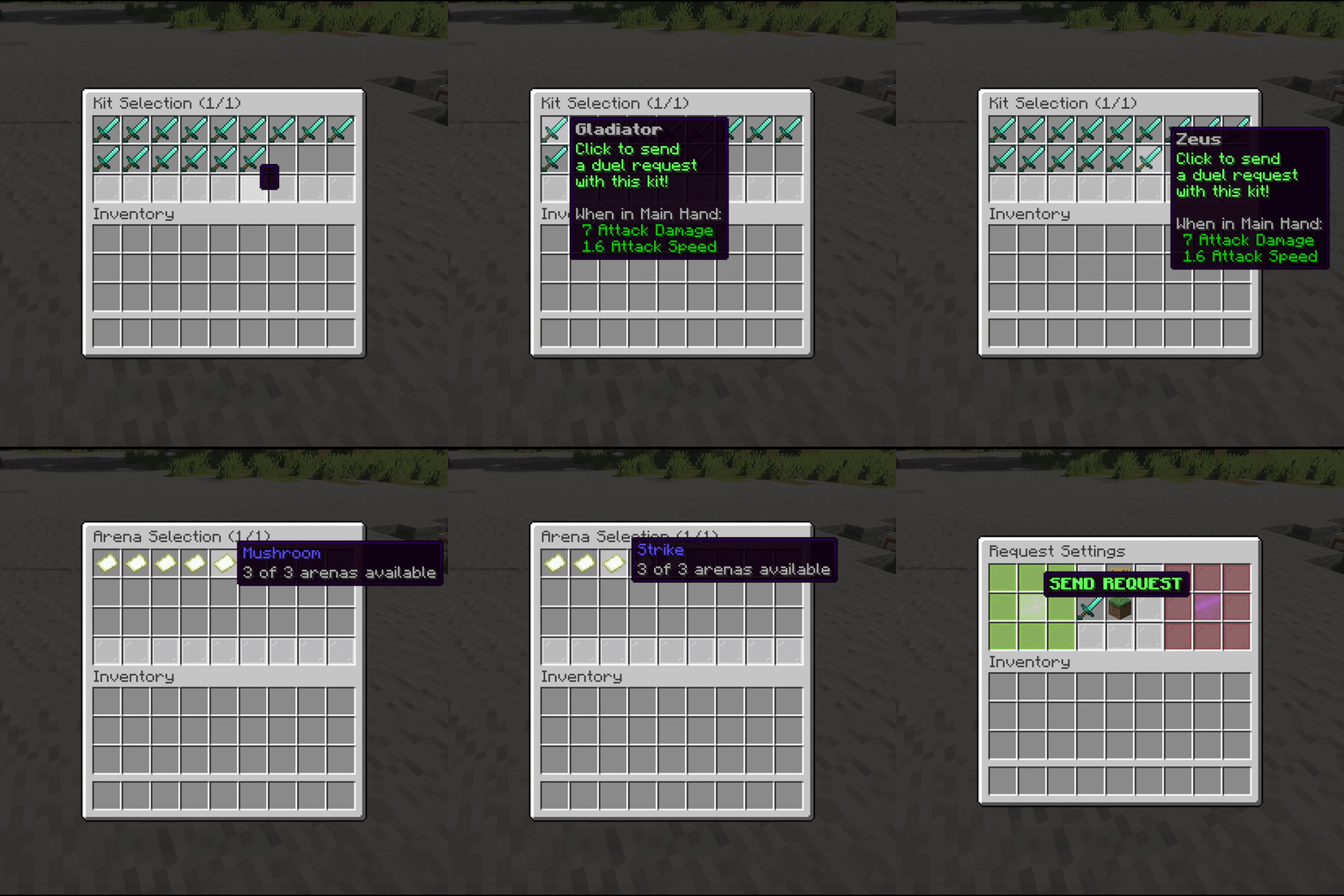
Request settings (/duel <player>)
Pick kit, own-inventory mode, arena and item betting, then SEND (green, left) or CANCEL (red, right). Only enabled options appear. Layout: guis.settings.rows, option-button-slots, send-button.*, cancel-button.*, per-button materials.
Kit / arena / queue selectors
Paged browsers (/kit... no — opened from request GUI, /queue, or /duels bind):
| GUI | Opens from | Config |
|---|---|---|
| Kit selector | Request GUI kit button | guis.kit-selector.rows (1–5) |
| Arena selector | Request GUI arena button | guis.arena-selector.rows (1–5) |
| Queue browser | /queue |
guis.queues.rows (1–5), inherit-kit-item-type |
| Spectate browser | /duel spectate |
Fixed 4-row layout, live heads |
Item betting GUI
Two-sided: each player fills their 4-wide section and presses READY (their own side only). A 5-step countdown runs once both are ready, then the match starts and items become the bet. Closing early refunds instantly. No config layout (fixed 54-slot design).
Bind GUI (/duels bind <kit>)
Choose which arenas the kit may run on. Persists per kit.
Options GUI (/duels options <kit>)
Toggle kit characteristics: Soup, UHC, Combo, Sumo, Hunger, Loka, Best-of-3. See Kits.
Kit editor (/kit edit <kit>)
Edit kit contents visually; /kit save writes, exiting without saving discards. Aborted automatically if you enter a queue/match mid-edit.
Post-match inventories
After a match (if display-inventories), clickable names in chat open the fighter's end-of-match inventory (/duel _ <uuid> behind the scenes). View-only, with effects/health/hunger/potion summary buttons.